Referring other practices
Share your invite link from Settings, Referrals. Practices you invite get 50% off their first three months of Premium, and you get £10 credit for each one that upgrades.
Updated 8 November 2026
If you know another practice that would get on well with Therasee, you can invite them with your own invite link. When they upgrade to Premium, they get 50% off their first three months and you get £10 credit towards your Therasee subscription. This guide covers where to find your link, how to share it, what each of you gets and what to do if the other practice already has an account.
Who can see Referrals
Referrals is in Settings, Referrals. You'll see the Referrals tab when both of these are true:
- You're the practice Owner. Referrals rewards go on your practice's subscription, so only the person who manages the subscription can see them.
- Your practice is on a paid plan (Premium or Enterprise). Practices on the Free plan can use a referral but can't send one.
If you can't see the tab, check Managing your Therasee plan or ask your practice Owner.
Your invite link
At the top of the page is Invite other practices to Therasee. Under Your invite link you'll find a link that belongs to your practice. The last part of the link, after ref=, is your referral code.
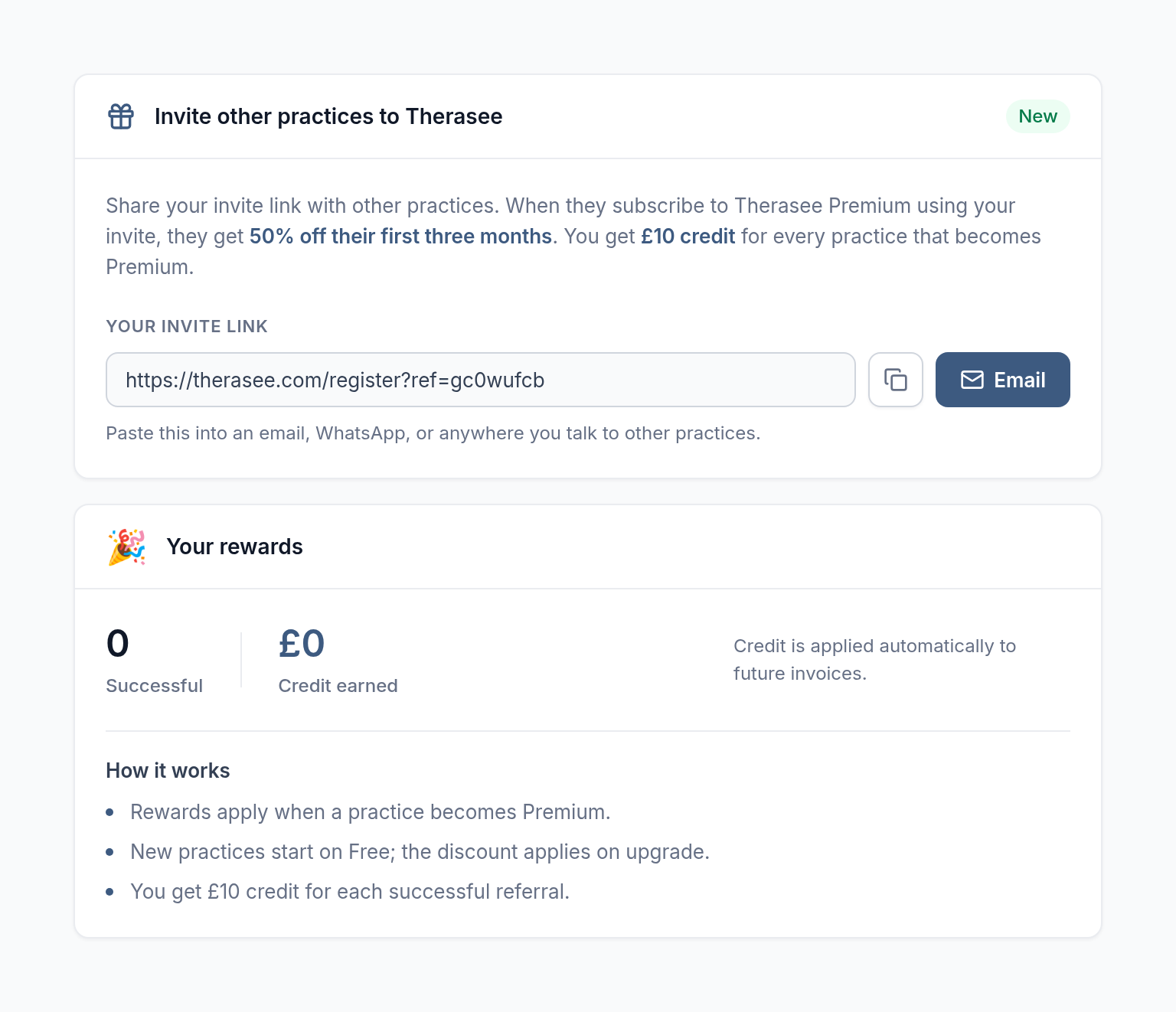
There are two ways to share it:
- Copy the link. Select the copy button next to the link. A green tick shows that it's copied. Paste it into an email, a WhatsApp message, a newsletter or anywhere you talk to other practices.
- Send it by email from Therasee. Select Email. In Send invite via email, enter their FIRST NAME (optional) and EMAIL ADDRESS, then select Send. Send stays greyed out until you've entered a valid email address. You'll see Invitation sent successfully! when it's on its way.
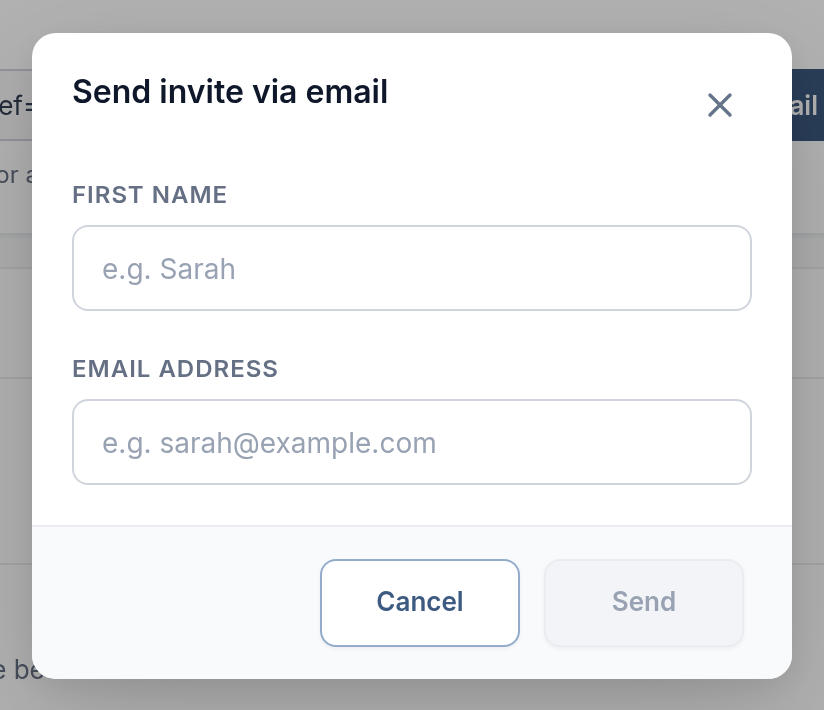
The email we send has the subject "Your practice name invited you to Therasee (50% off inside)". It explains the offer, gives a short overview of Therasee and includes your invite link. Send it only to people you know would welcome it.
Your link doesn't expire, and you can share it with as many practices as you like.
What the practice you invite gets
The practice you invite gets 50% off their first three months of Premium.
Here's how it works for them:
- They open your invite link. The sign-up page shows Referral applied: 50% off Premium for 3 months. and the heading Claim your invite.
- They create their account and practice in one go. Every new practice starts on the Free plan, with no card needed.
- When they first sign in, their welcome message reminds them: You were referred! Upgrade to Premium and get 50% off your first 3 months.
- In Settings, Practice settings, Subscription, the Premium monthly plan shows a 50% off for 3mo badge and the discounted price.
- When they upgrade to Premium, the discount is added to their subscription automatically.
After they upgrade, the badge counts down the months left, for example 50% off - 2mo left. After three months they pay the normal Premium price.
What you get
You get £10 credit for each practice that upgrades to Premium using your link. It's a one-off credit for each practice, added as soon as they upgrade. There's no limit on how many practices you can refer.
When it's added, we email you with the subject "Thank you for recommending Therasee (+ £10 credit)". The credit is taken off your future Therasee invoices automatically, so there's nothing you need to do.
The Your rewards section of the Referrals page shows:
- Successful: how many practices have upgraded to Premium using your link.
- Credit earned: the total credit added to your account.
A practice that has signed up but is still on the Free plan doesn't count yet. It counts as soon as they upgrade.
How it works
The How it works list on the page sums it up:
- Rewards apply when a practice becomes Premium.
- New practices start on Free; the discount applies on upgrade.
- You get £10 credit for each successful referral.
If the practice already has a Therasee account
The invite link is for creating a new Therasee account.
If you already have a Therasee account, message us through Support with your referral code before you upgrade. Your referral code is the part of the link after ref=.
Things to know
- One referral per practice. A practice can be referred once, by one practice.
- The discount is for practices moving from Free to Premium. A practice that already pays for Premium can't use a referral.
- Links don't expire. Any invite link you've shared keeps working.
Seeing the discount and credit on invoices
Your Therasee invoices are under Billing history in Settings, Practice settings, Subscription, which only the Owner can see.
- The practice you invited sees the discounted amount on their invoices for the three discounted months.
- You have your credit taken off what you're charged on your next invoices until it's used up. Your total credit shows under Credit earned on the Referrals page.
For more about plans, prices and invoices, see Managing your Therasee plan.
Was this helpful?