
Billing & Payments
Invoicing that runs itself
Send invoices in one click via email or SMS with a secure payment link. Clients pay online by card, and automated SMS and email reminders help you stay on top of overdue payments. Customise every detail to match your practice.
How it works
See it in action
One click after a session creates a professional invoice with all details pre-filled from the appointment.

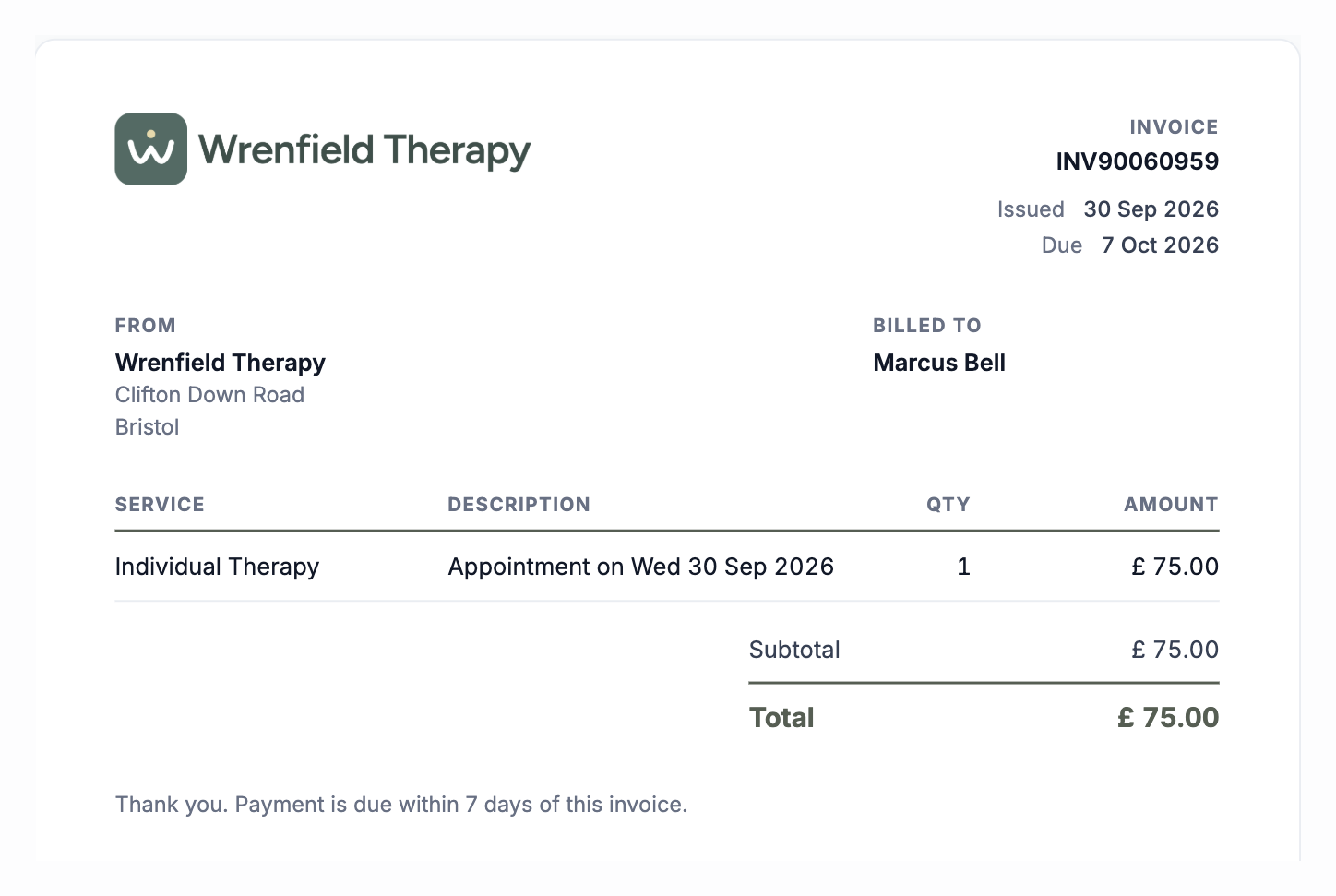
Filled in from the session
Generate an invoiceFilled in from the session
Generate an invoiceEverything you need
Powerful features designed for the way you work.
- Automatic invoicing for repeating sessions
- Choose it when you book, and invoices go out on their own as sessions come round.
- One-click invoices
- Create an invoice from any session in one click, including a single session from a repeating booking. If the session moves, the invoice moves with it.
- Online card payments
- Clients pay securely by card from a payment link. Connect Stripe with one button, and see straight away if the connection needs fixing.
- Pay when booking
- Clients can pay upfront when they book online.
- Payment terms tied to the session
- Set payment to be due in relation to the appointment, for example, due 48 hours before the session.
- SMS and email reminders
- Reminders for unpaid invoices go out on their own at the times you set, and you can change them on any invoice.
- Invoices in your style
- Theme, layout, logo, footer and VAT details, the same in the app, the PDF and the portal. Receipts go out on their own when a client pays.
- Pounds or euros
- Bill in GBP or EUR.
- Revenue analytics
- See revenue over time, payment status, and earnings by service. Export to CSV or print to PDF.
Before & after Therasee
See what changes when you switch to a purpose-built platform.
Without Therasee
With Therasee
Without: Chasing clients for payment after every session
With Therasee: Unpaid invoices get email or text reminders on the days you choose
Without: Manually creating invoices in spreadsheets
With Therasee: Create the invoice from the session, with the client, service and price filled in
Without: Generic invoices that don't match your practice
With Therasee: Invoices carry your logo, practice details and payment terms
Without: Awkward money conversations with clients
With Therasee: Clients pay by card from a link, and a receipt goes out on its own
Billing & Payments: your questions answered
Can clients pay therapy invoices online by card?
Yes. Invoices go out by email or SMS with a secure payment link, and clients pay by card with no account needed. The money goes through your own Stripe account to your bank, and a receipt goes out on its own.
Do I need a therapist invoice template?
No. Therasee creates each invoice from the session, with the client, service and price filled in, in your own layout with your logo, VAT details and payment terms. It looks the same on screen, in the portal and as a PDF.
Can Therasee invoice repeating sessions automatically?
Yes. Choose automatic invoicing when you book a repeating session, and invoices go out on their own as each session comes round. You can also invoice any single session in one click, and if it moves, the invoice moves with it.
Does Therasee chase unpaid invoices for me?
Yes. Reminders for unpaid invoices go out by email and SMS on the days you choose, before or after the due date, and stop as soon as the invoice is paid.
Can clients pay before the session?
Yes. Clients can pay upfront when they book online, and you can set payment to be due in relation to the session, for example 48 hours before it.
Can I invoice in euros and add VAT?
Yes. Bill in GBP or EUR, add your VAT rate, payment terms and logo, and every invoice matches your practice on screen, in the portal and as a PDF.
Can I see what my practice is earning?
Yes. Revenue reports show income over time, payment status and earnings by service, and you can export invoices to CSV or print to PDF for your accountant.


Ready to try Billing & Payments?
Start for free and see how Therasee changes the way you run your practice. No credit card required.