Setting up your clinical will
Name who contacts your clients if you die or cannot practise, choose what they can reach in Therasee, sign the will, and hand over or have it released when the day comes.
Updated 4 November 2026
A clinical will says who contacts your clients, and what they may do, if you die, become incapacitated or cannot continue practising. Many professional bodies expect practitioners to have one. In Therasee you name one or two clinical executors, they accept and sign, and until the day it is needed nothing opens and nobody can get in.
Where to find it
Go to Settings, then My settings, then Clinical Will in the left-hand menu. It belongs to you, not the practice, so in a practice with several practitioners each sets up their own. How it works on the card gives a short walk-through.
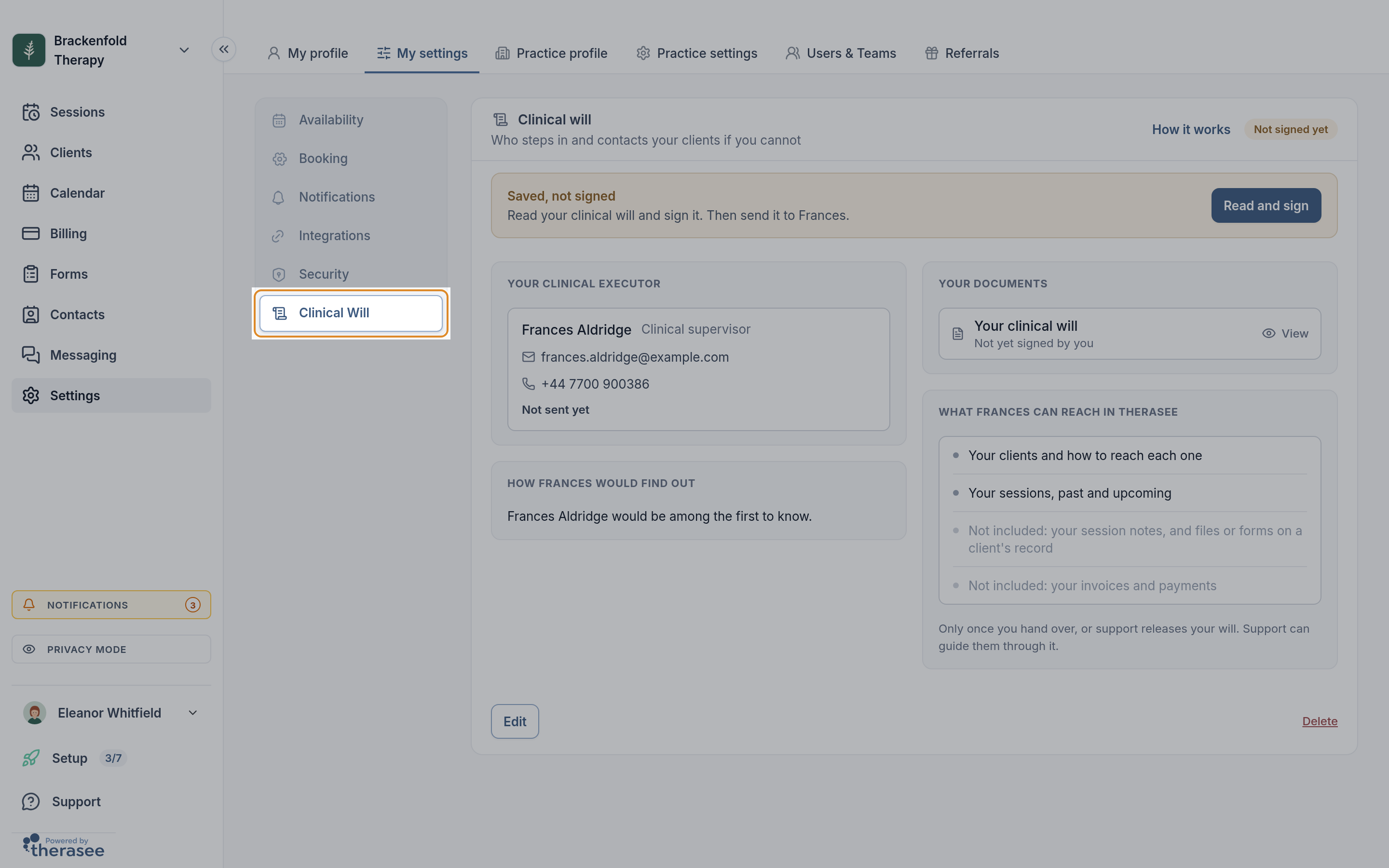
Setting it up
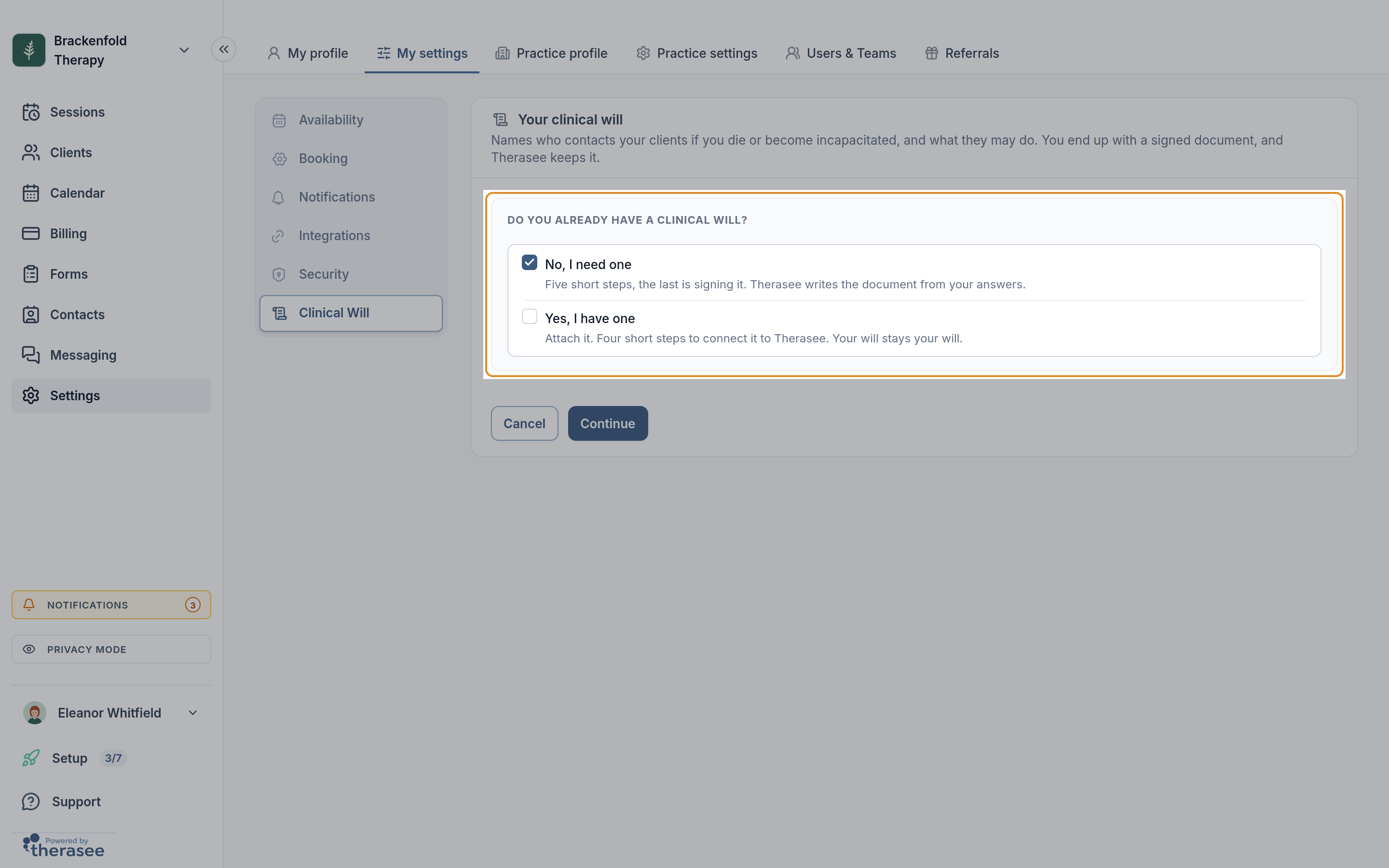
- Select Set up clinical will. Under Do you already have a clinical will? choose No, I need one (Therasee writes the document from your answers) or Yes, I have one (you attach your own), then Continue.
- Your details. Your name, Professional title, practice name, email, address and mobile are filled in from your account; changes here affect the will only. You can add Professional bodies with membership numbers, and your Insurer and Policy number. All of it is printed on the document.
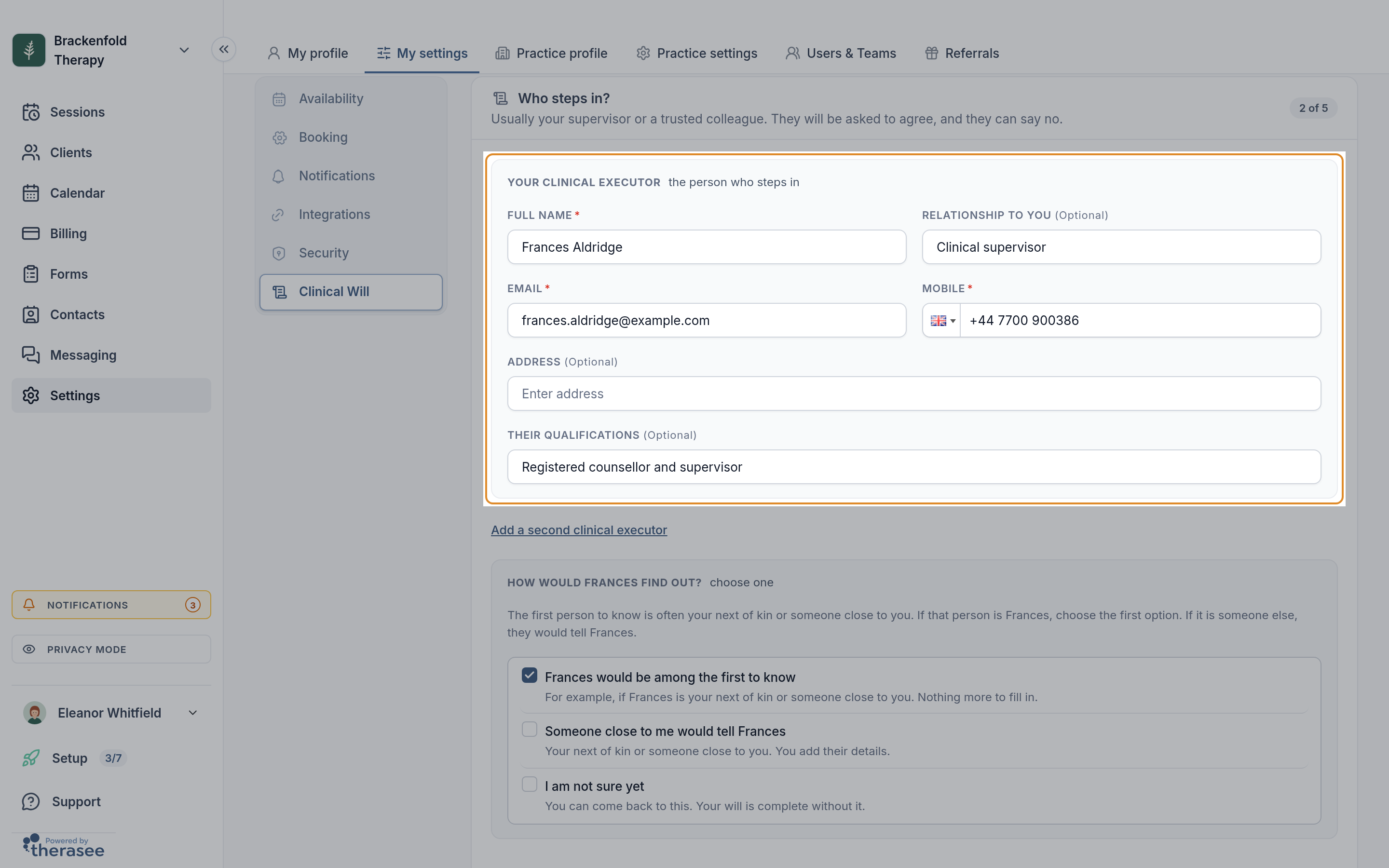
- Who steps in? Usually your supervisor or a trusted colleague. Their Full name, Email and Mobile are required: the request goes to that email, and on the day a code is texted to that mobile. Relationship, address and qualifications are optional. Select Add a second clinical executor for a backup, or someone who takes a different part.
- On the same step, answer How would they find out?: one of them would be among the first to know, Someone close to me would tell them (you add that person's details), or I am not sure yet.
- What would you like them to do? (the step uses your executor's first name). Suggestions in plain words, such as arranging onward referrals and notifying your professional body and insurer. Select the pencil beside a line to reword it, the cross to remove it, or select Add another; anything you removed is offered again under More you could add. Contacting your clients is always included. If you named two executors, choose Both the same or Different for each. What to tell clients, and how is optional and is printed on your will as you write it.
- What can they reach? Under In Therasee, your clients and how to reach each one, and your sessions, are always included; tick Your session notes, and any files or forms on a client's record and Your invoices and payments only if you want them to have these. Under Outside Therasee, optionally add Records held outside Therasee, anything else they would need to get into, and How long to keep your records. Your executor never needs your Therasee password, so never write a password here. Select Continue.
With Yes, I have one, you attach your will (PDF or Word, up to 10MB), say whether your executor has already signed it, then give a way to reach them and choose what they can reach. Your will is stored exactly as it is, alongside a one-page Access to Therasee document. Nothing is saved until the last step, and Cancel asks before discarding anything.
Signing and sending
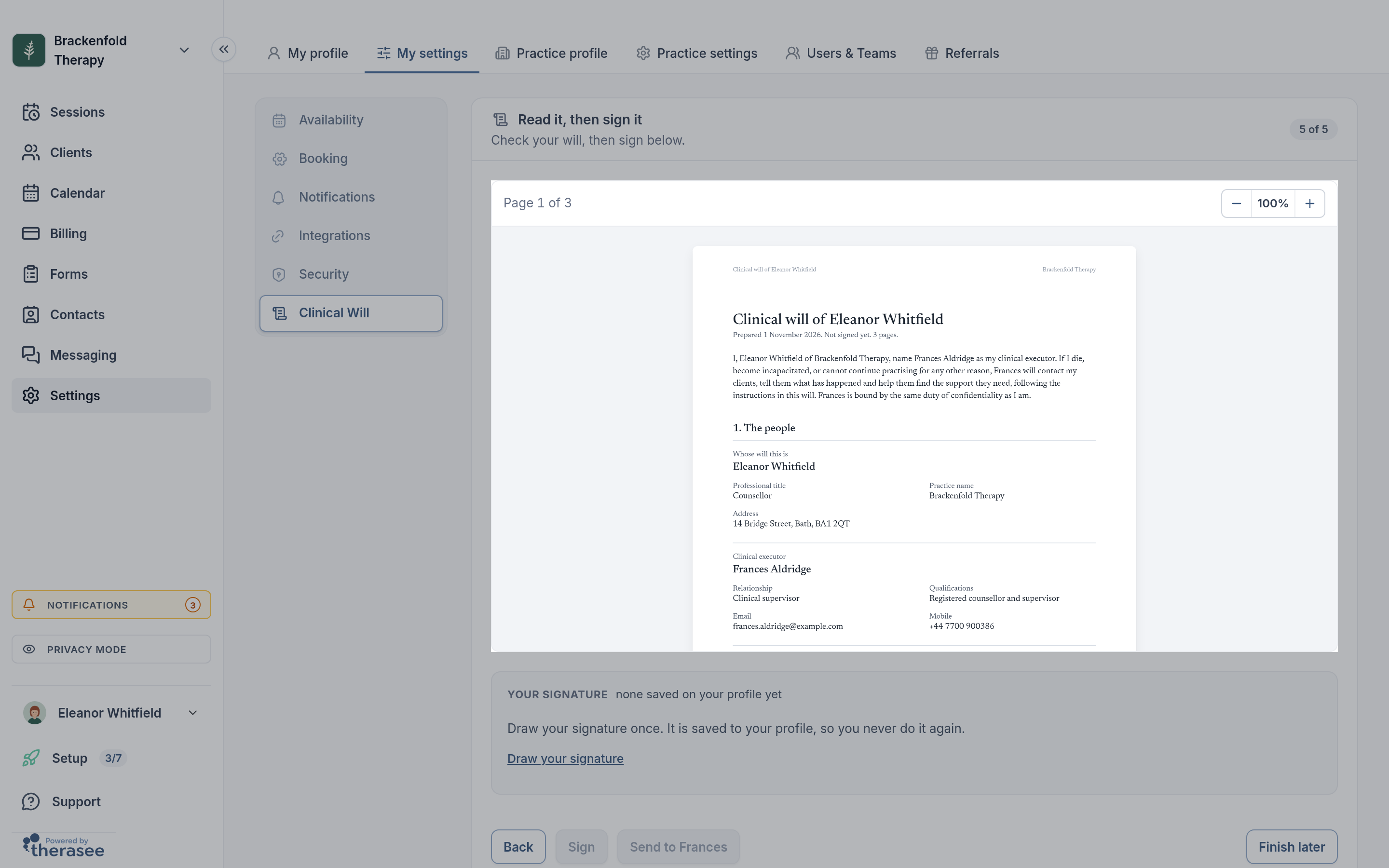
- On Read it, then sign it, read the document on the page.
- Under Your signature, the one saved on your profile is used; select Use a different signature or Draw your signature if needed. Select Sign.
- Check the preview of the email they will get, add a note if you like, and select Send to followed by your executor's name. Finish later and Send later keep your answers for another time.
What your executor is told, and whether they must accept
Your executor is emailed a link, for them only, that works for 30 days. On that page they read the will, confirm the mobile number on it, sign and select Accept and sign, or No, ask someone else. They need no Therasee account yet.
They must accept: your will is In place only once everyone named has accepted. Until then the card shows Waiting for them, with Send the request again. You are emailed when they answer. If they say no, select Edit to name somebody else. Anyone you named to tell your executor is emailed once the will is in place, with your executor's name and number and how to reach Therasee support; they get no access.
What your executor can and cannot do
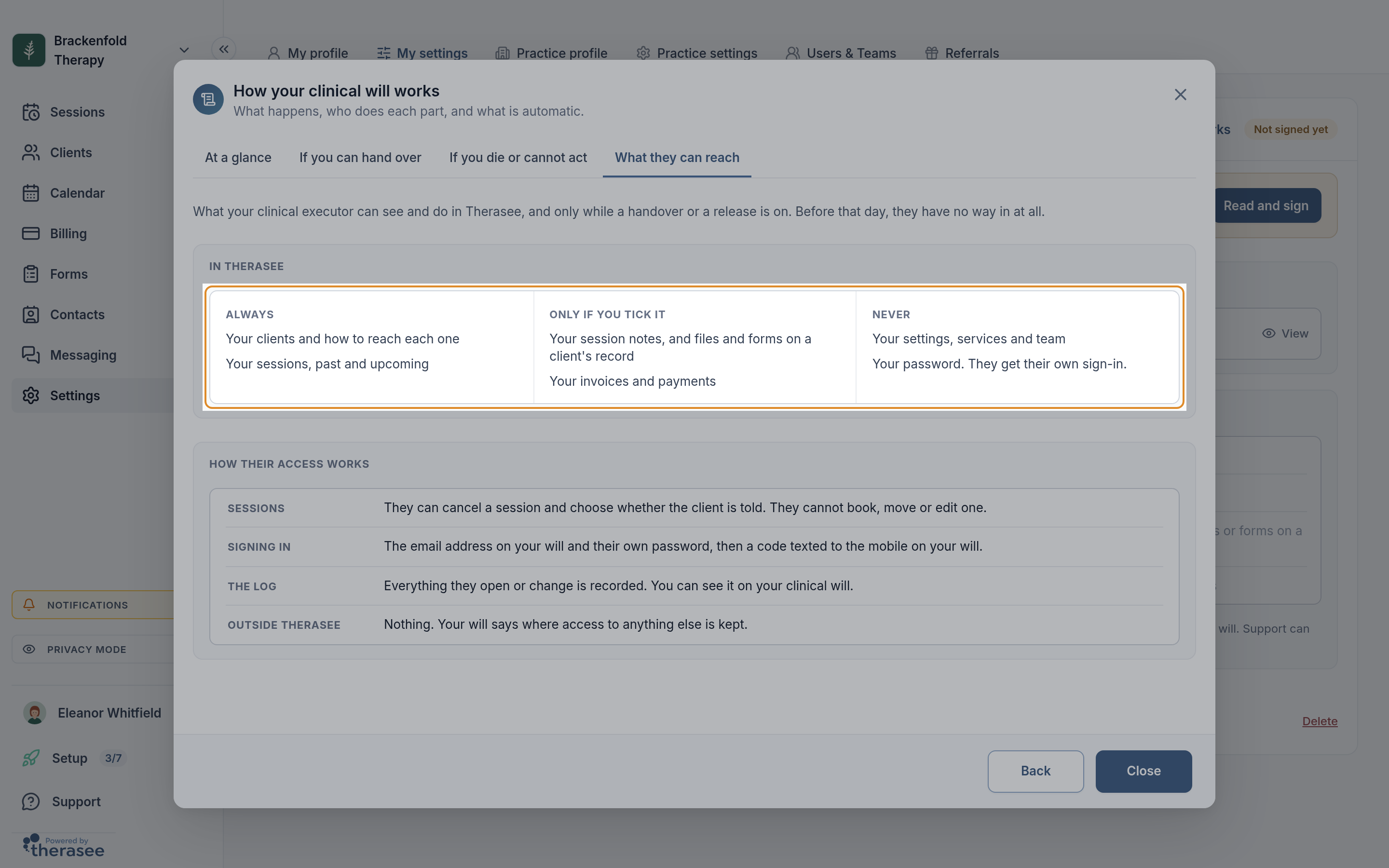
Only while a handover or release is on, and only for your own clients:
- Always: your clients and how to reach each one, and your sessions. They can cancel a session and choose whether the client is told, but cannot book, move or edit one.
- If you ticked it: your notes, files and forms, read only (see Writing session notes); your invoices, where they can mark one paid, send it again or write it off.
- Never: your settings, services, team, messages or password.
They contact clients themselves and tick each one off with Mark contacted on the Clients list. That tick is a checklist and sends nothing.
How access is released
You hand over. Once your will is in place, select Hand over to (followed by your executor's name). Set an optional Ends on date, add a note, check the email and confirm. While it is on, reminders, confirmations, video links and invoice reminders pause and you take no new bookings; your diary stays so they know who to contact. End handover stops their access at once and they are told. It also ends after the end date.
Therasee support releases it if you cannot. Someone quotes the reference printed on your will; support tries to reach you, speaks only to people your will names, and asks for evidence such as a death certificate or a letter from a hospital or next of kin. The release is recorded with who made it and why.
Either way, your executor sets up or uses their own sign-in, then enters a six-digit code texted to the mobile on your will before anything opens.
The log
During a handover the card shows clients contacted, sessions cancelled and last activity. See the log lists, newest first, when they signed in, whose records they opened, sessions cancelled and whether the client was told, invoice actions, clients marked contacted, and when the handover started and ended.
The document
Under Your documents, select a document to open it, then Download. It shows your details including professional title, bodies and insurer, your executors, what they may do and reach, your instructions, and everyone's signatures. Its reference helps support find it and opens nothing on its own. Executors can download their copy for 24 hours after accepting.
Keeping it up to date
A year after your will is dated, you are emailed Is your clinical will still right?; Still right confirms it. To change anything, select Edit (not available during a handover). Review your changes shows what changes, who is emailed and who signs again before you save. Changing your executors, their contact details, or what they may do or reach means you sign again and they accept again. Other wording needs no new signatures.
When you replace an executor who had accepted, or select Delete to remove your will entirely, a tick box lets you tell them they are no longer named, in one short email.
What your clients are told
Therasee never contacts your clients about your clinical will, and it does not appear in their portal. During a handover or release nothing is sent to them automatically; they hear only what your executor chooses to tell them.
Was this helpful?